Typing Hand Position: Why Your Fingers Should Curve Like a "C"
Where your hands go for touch typing: curved fingers on the home row, thumbs on the space bar and one finger reaching at a time, shown with TypePlay’s guide hands.
By Raushan, founder of TypePlay · · 3 min read
PlayType’s first tip to every new typist is about the hands, not the keys: where they rest, how the fingers curve and how a finger leaves home and comes back. Get this right in the first week and speed follows on its own. The pictures below are TypePlay’s own guide hands, the same ones that move over the keyboard in every lesson.
Home row: where your hands live
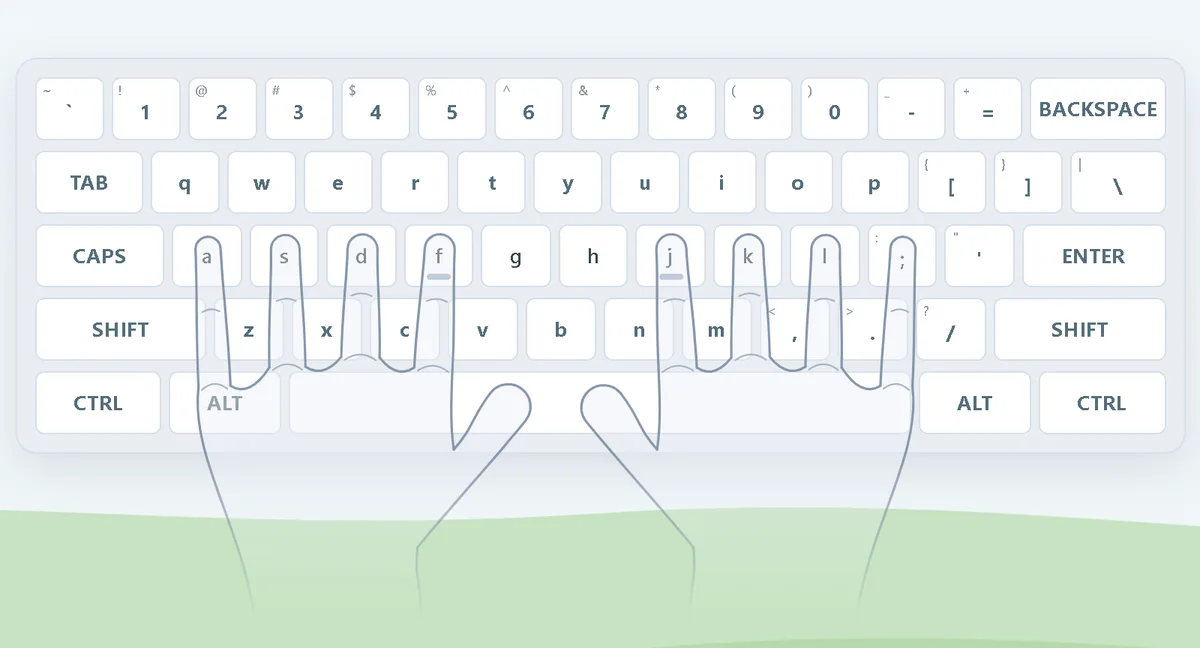
Touch typing starts from one place, the home row. The left hand’s fingers rest on A, S, D and F; the right hand’s on J, K, L and ;. Your index fingers find F and J by touch: those two keys have small bumps. Both thumbs rest lightly on the space bar.
Curve your fingers like a "C"
Look at your hand from the side when it rests on the keys: the fingers should bend like the letter C, so each one meets its key with the fingertip, not the flat pad. Curved fingers can move up and down the rows quickly; flat fingers have to drag the whole hand along. Keep the touch light: press the key and let go, you do not need to push it to the bottom.
That is also why TypePlay’s guide hands have no fingernails: the fingertips sit just above each key so you can still read the letter underneath.
One finger reaches, the others stay home
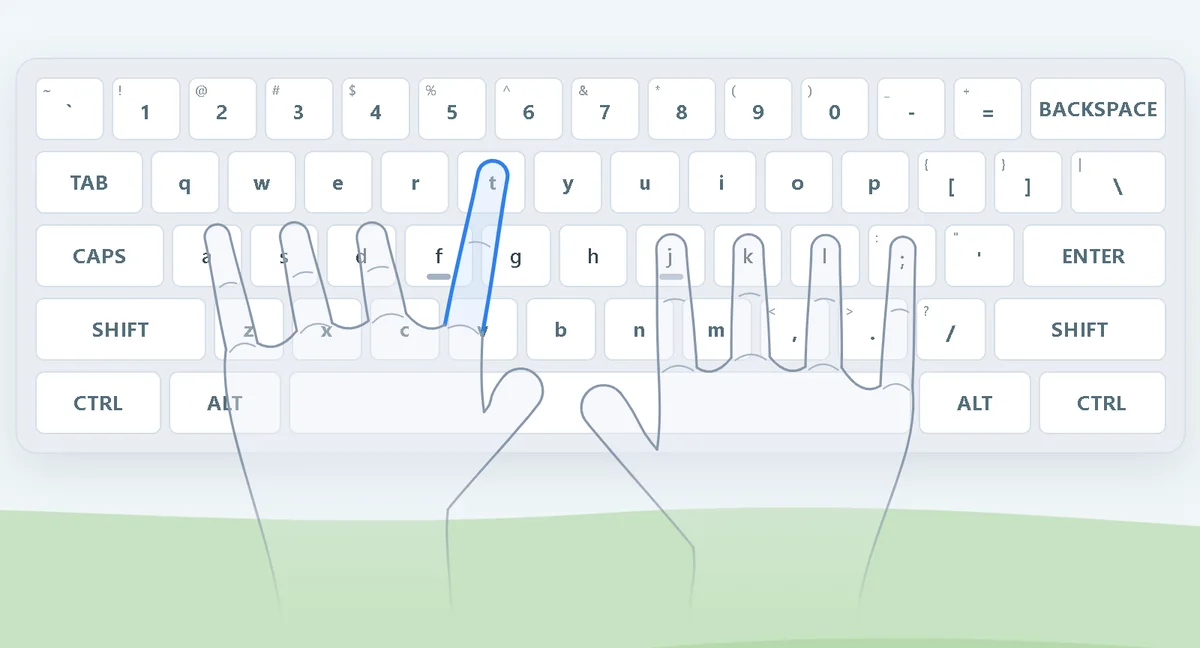
To type a key off the home row, only one finger moves. To type T, the left index finger stretches up and a little to the right from F; the other fingers stay on their home keys, ready. As soon as the key is pressed, the finger returns home. This "reach and return" habit is what lets your fingers find keys without your eyes.
Numbers: straighten a little
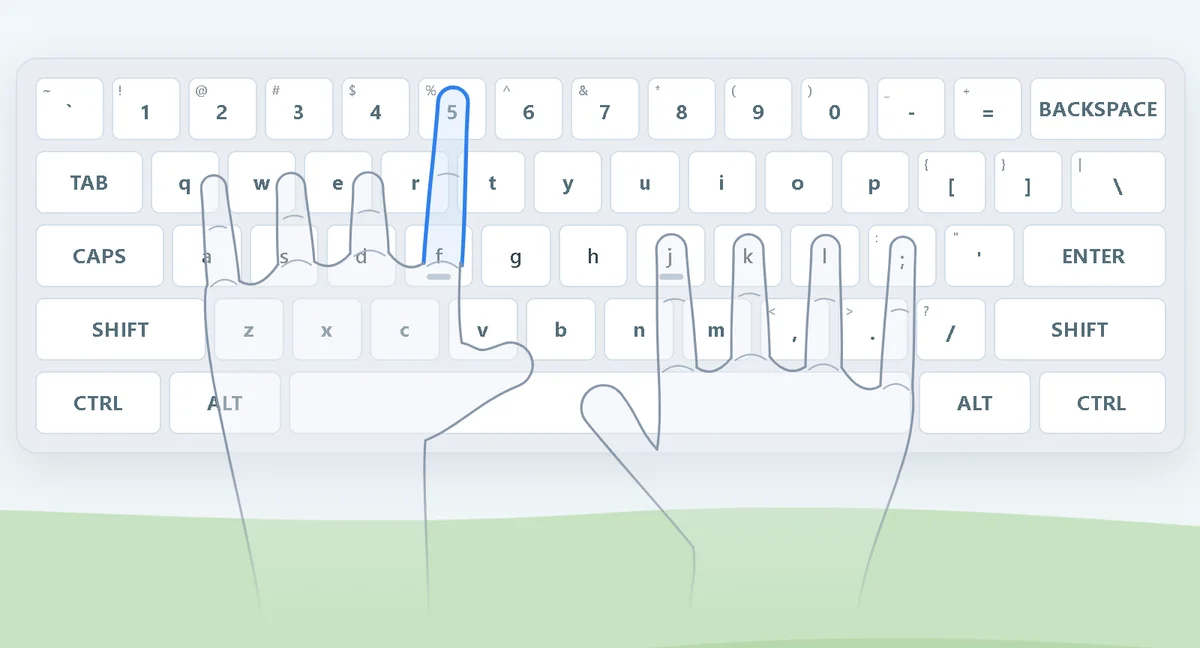
The number row is two rows away from home, so the reaching finger straightens a little more and the hand may lean forward slightly. Do not lift the whole hand off the keyboard: keep the other fingers touching home, reach, press and come back.
Thumbs on the space bar
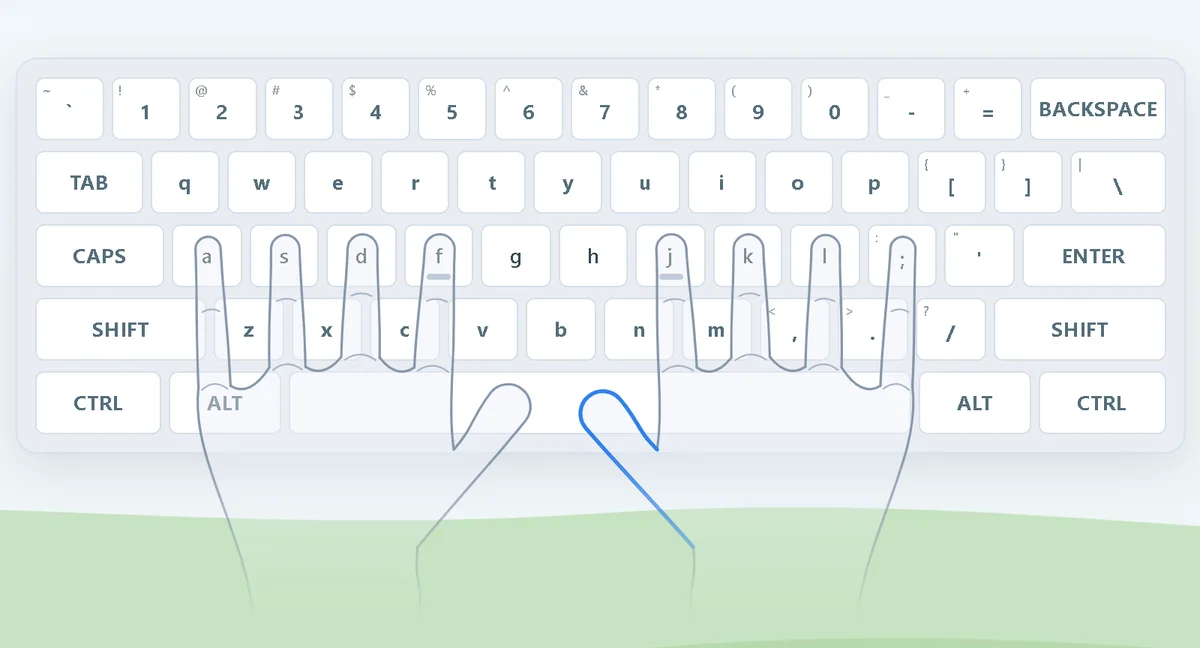
The space bar belongs to the thumbs. Many typists use the thumb of the hand that did not type the last letter, but either thumb is fine as long as your fingers stay on the home row while you press it.
Wrists, elbows and screen
- Wrists straight and level, not bent up toward the keys or resting at a sharp angle on the desk edge.
- Elbows close to your sides and bent at roughly a right angle, so the forearms are about level with the keyboard.
- Sit back in the chair with your feet on the floor or on a footrest; children often need a cushion or a lower keyboard.
- The top of the screen at or slightly below eye level, so you look ahead rather than down.
Try it now
Lesson 1 puts these hands on your screen and walks through the home row; Lesson 2 starts the first reaches from F and J. For children, PlayBuddy’s 5-day plan turns the home row into ten minutes a day.
Try it on TypePlay
- Typing finger chart →Which finger presses which key, printable.
- Lesson 1: where the fingers rest →The guide hands show the home row step by step.
- Lesson 2: F and J →The two keys with the bumps, where every reach starts.
Free, in your browser, no account needed.
Questions and answers
What is the correct hand position for typing?
Rest the fingers of the left hand on A, S, D and F and the right hand on J, K, L and ;, with both thumbs on the space bar. Curve the fingers so the fingertips touch the keys, keep the wrists straight and level, and move one finger at a time to reach other keys, then bring it back.
Why are there bumps on F and J?
They let your index fingers find the home row without looking. Feel for the two bumps, rest the other fingers beside them, and your hands are in place.
Should my wrists rest on the desk while I type?
Keep them straight and level while typing, not bent up or down, and let them hover lightly. Resting the heels of the hands between sentences is fine; what matters is not bending the wrists to reach keys.
Which finger presses which key?
Each finger owns a column of keys that leans slightly to the left. The [typing finger chart](/typing-finger-chart) shows every key in its finger’s colour.